Review financial reports
Check revenue, expenses, margin, and result from the Insights view.
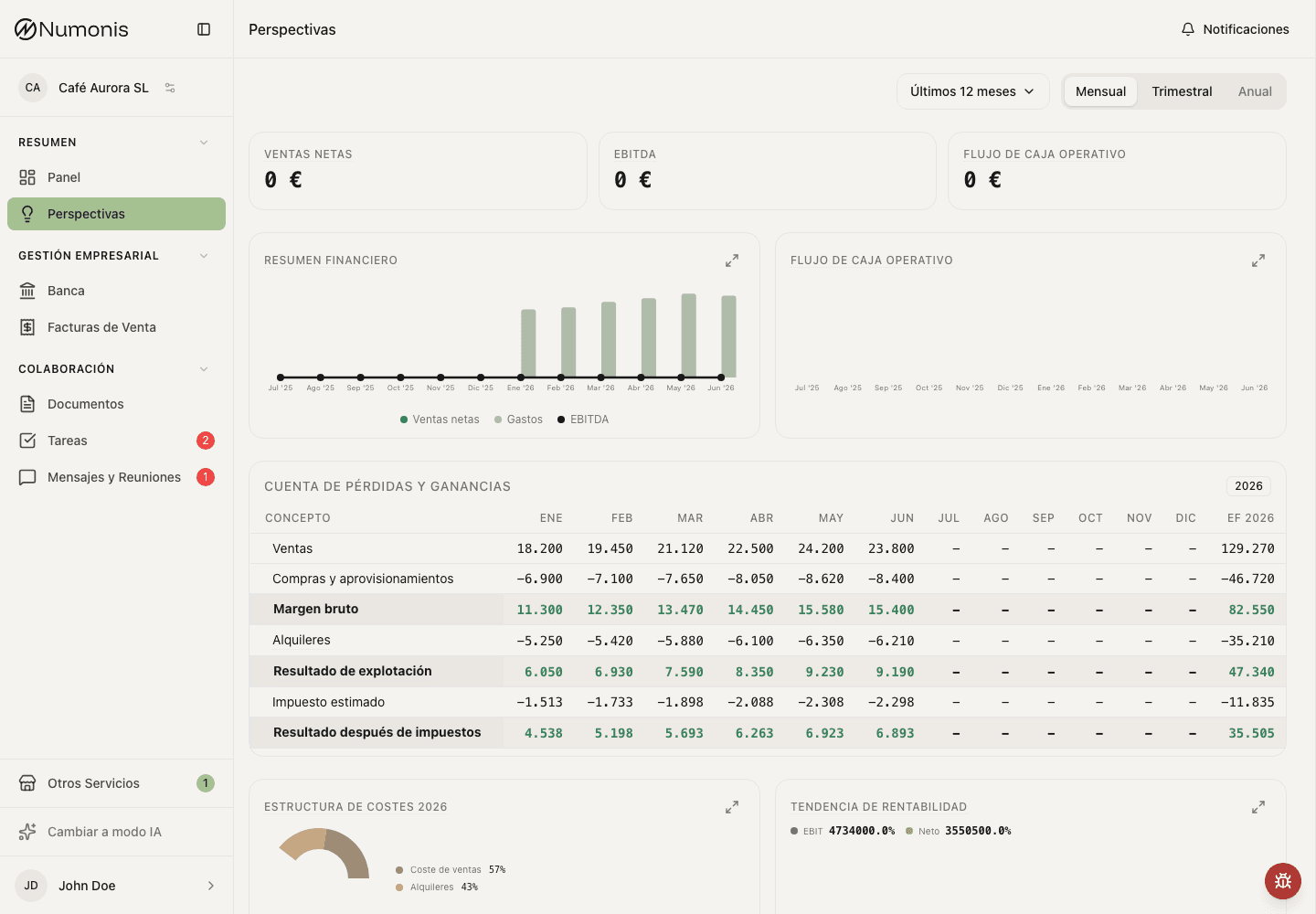
Reports show KPIs, trends, and a profit and loss table.
Insights shows the financial reports prepared by Numonis so you can review how the business is moving. The first time, Financial Insights explains the view. Press Get Started to open the reports.
How to get there
- In the sidebar, press Insights.
- Choose the range: Last 6 months, Last 12 months, or the current year with YTD. You can also choose a full financial year when it appears in the list.
- Choose the detail: Monthly, Quarterly, or Annual.
When only annual data is available, the view uses annual detail and hides the range and detail selectors.
What to review
- Look at the Revenue and EBITDA cards. When the report includes cash, you also see Operating Cash Flow or Estimated cash earnings.
- Review Financial Overview for revenue, expenses, and EBITDA, and the cash chart that matches the report.
- Go down to Profit & Loss Statement for the line detail.
- When the data is there, Cost Structure splits the costs for the selected period. Profitability Trend shows the EBIT margin and the net margin when the reports contain monthly data.
- If something does not add up, open Communication and ask your accountant.
Revenue, expenses, EBITDA, and cash-flow chart labels use up to one decimal for thousands (12.9k €) and millions (1.2m €), including in expanded charts. Round amounts drop the decimal (5k €). When many periods fit into a narrow chart, direct labels are hidden to keep the figures readable. Hover over or touch a period to see amounts without abbreviations. Amounts below one thousand use whole euros.
When data may be missing
Insights depends on the reports Numonis prepares. If you have just started or a period is missing, you see No data for selected period. Choose another range, or talk to your accountant if the figure is urgent.