What to upload and when
Practical guide to documents, receipts, bank statements, and files to send to Numonis.
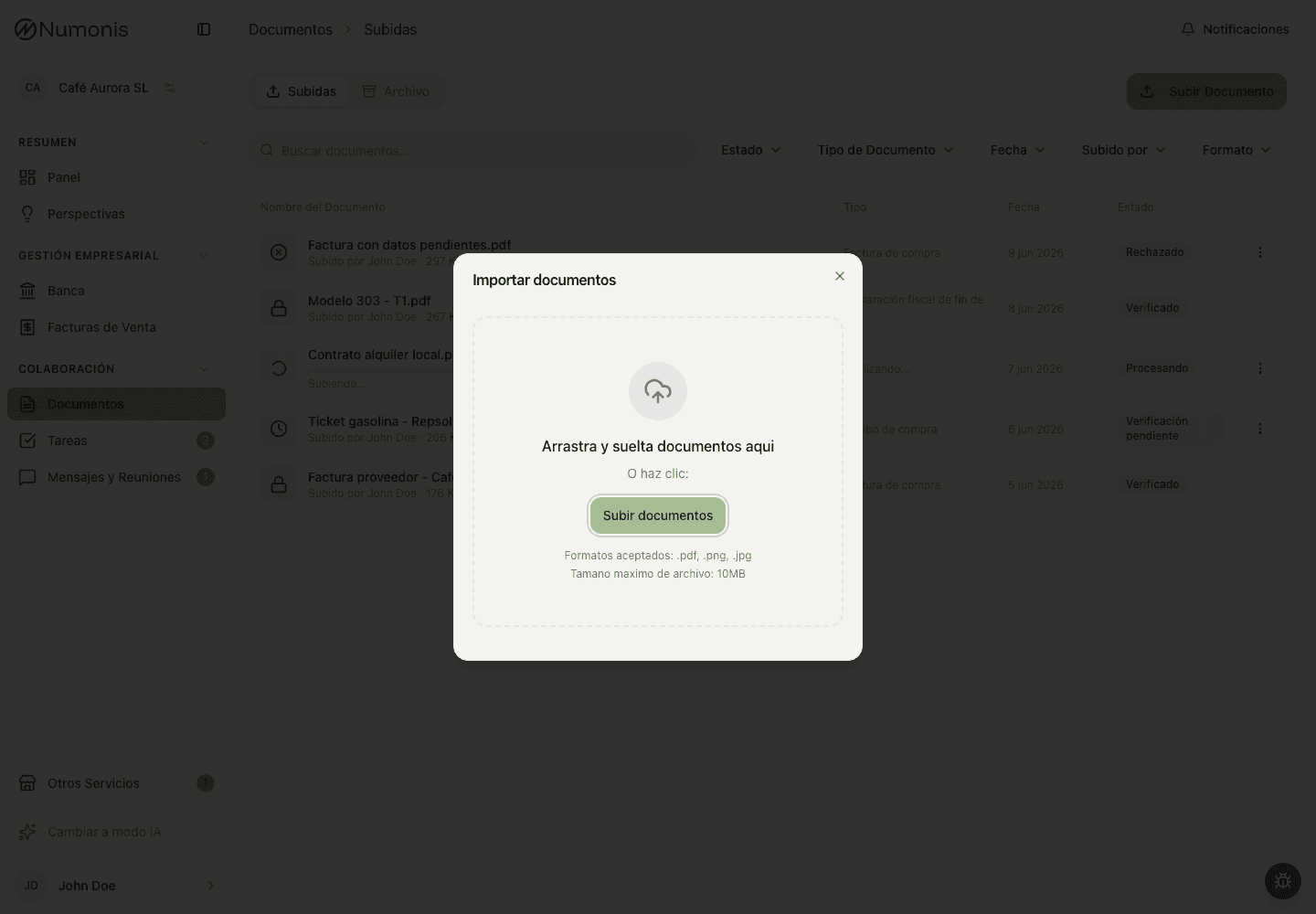
Upload documents from Documents so Numonis can process them and your accountant can review them.
Upload any document that can explain business income, expenses, collections, payments, or accounting decisions. If you are unsure, upload it and let Numonis or your accountant review it.
Common documents
- Supplier invoices: suppliers, software, rent, utilities, professional services, and purchases.
- Receipts and tickets: small expenses, travel, meals, materials, or card payments.
- Sales invoices: if you do not create them in Numonis, upload invoices issued from other tools.
- Bank expenses: fees, interest, loans, direct debits, and recurring charges.
- Payroll-related documents: payroll, social security, or other documents your accountant requests.
- Contracts and agreements: rent, financing, insurance, or contracts relevant to a transaction.
- Administrative documents: certificates, tax settlements, government letters, or official communications.
When to upload them
- Upload important documents the same day or during the week.
- Do not wait for closing if the document explains a bank transaction that is already visible.
- Before month-end, review card expenses and automatic debits.
- Before quarterly close, upload late documents and answer pending tasks.
How to take good photos
- Place the document on a flat surface.
- Use good light and avoid shadows.
- Make sure the date, supplier, amount, and VAT appear if applicable.
- Do not crop edges, invoice number, or tax details.
- Upload one image or file per document whenever possible.
When a transaction needs a document
A bank transaction usually needs a document when it represents an expense, income, invoice, receipt, or payment that must be supported. Internal transfers, some movements between accounts, or duplicates may not need one, but it depends on the case.
If Numonis shows a transaction without a document, use Banking to link an uploaded document, upload one from the transaction if that action appears, or mark that no document is needed when available.
If you do not know whether it is deductible
Upload the document anyway and ask through Communication. Your accountant can review whether it works, whether information is missing, or whether it should be treated differently.