Use notifications
Configure in-platform, browser, and email notifications for tasks, messages, documents, and important activity.
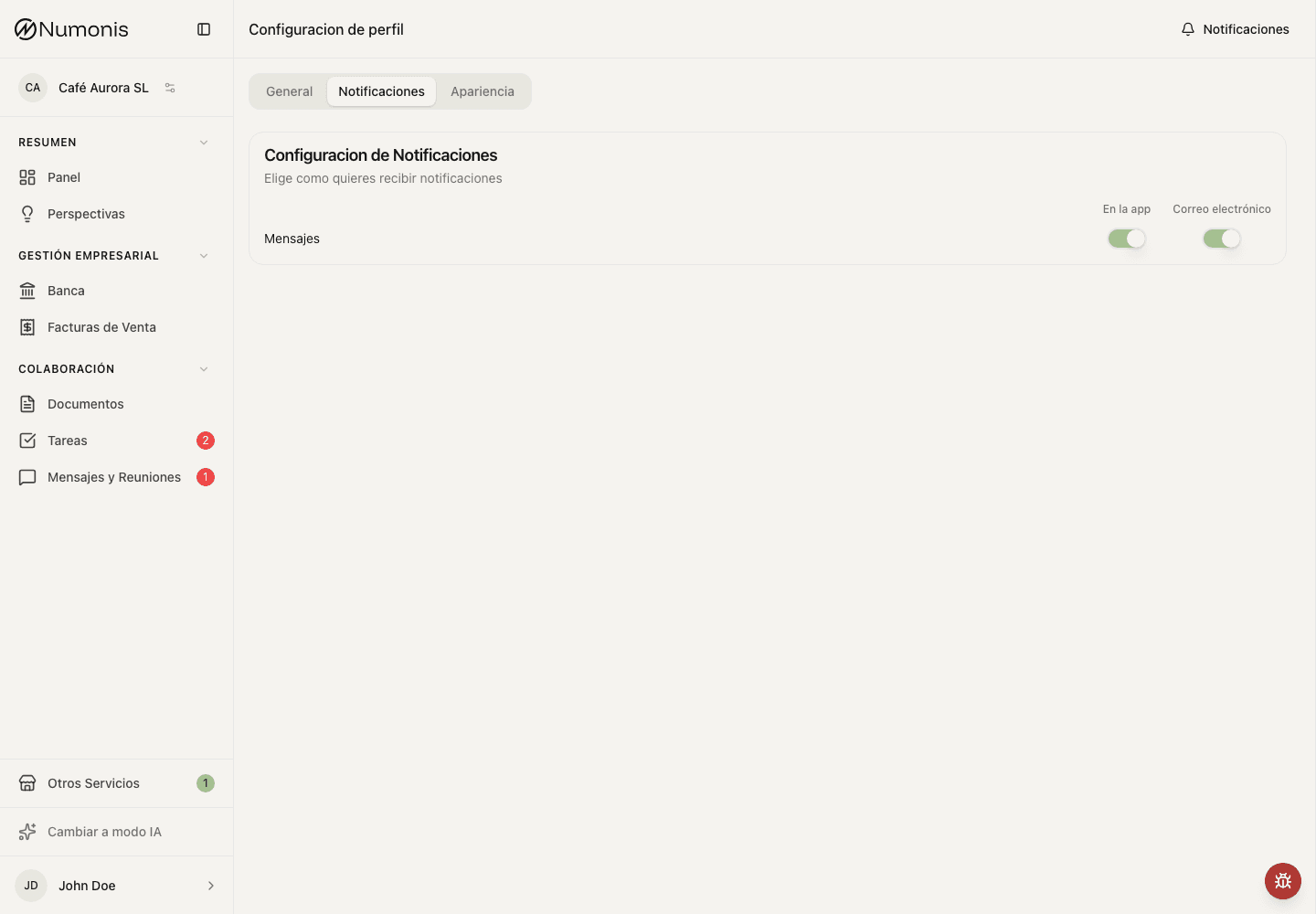
You can enable or disable in-app and email notifications by event type, and allow browser alerts for new messages.
Notifications are alerts that help you notice important activity without checking every section manually. They can appear in the platform, as browser alerts for new messages, and, for some events, by email.
How to get there
- Open Profile settings from your avatar.
- Open Notifications.
- Review each notification type.
Notifications and unread conversations
The bell opens Notifications, not a second inbox counter. A dot means you have unread notifications across all available companies. Opening it does not mark anything as read. Unread shows the total; All also includes read notifications. Important unread notifications appear first, with newest first within each section. Use Load older notifications to see more.
Clicking a notification or choosing Mark as read marks that notification as read. The dropdown header shows one action for the current tab, without opening a menu: Mark all as read in Unread, and Archive all in All. The action stays hidden when there is nothing to act on. Both apply across companies, including older notifications not currently shown.
Archive all asks for confirmation and removes both read and unread notifications from the list. Archived notifications cannot be restored in the interface. These actions do not read conversations or complete tasks. Mark all as read only clears the bell: the Communication badge and each conversation's unread count stay unchanged. Reading a chat marks its message notifications as read. When a client reads new messages, Numonis receives a read receipt.
The communication badge counts unread chat conversations, plus unread email threads for operators. Several unread messages in one conversation count as one; a conversation manually marked unread also counts as one. Email threads count once even when mirrored in several mailboxes. The browser title, navigation and communication tabs use these same counts:
- Clients: the selected company, with chat only.
- Operators in company mode: the company in the URL, with chat and eligible client email.
- Operators in practice mode: accessible chat conversations across companies and unread threads in their member mailboxes.
The company picker shows each company's unread conversation count. When another company has unread conversations, a quiet dot on the picker helps you discover them without duplicating the current company's badge. Admin operators keep the existing picker-badge suppression.
The task badge counts open tasks that are still new: tasks created or updated by someone else after your last Tasks visit for that company. A successful list visit clears earlier tasks from the badge on all your devices. Opening Tasks from the mobile menu or a task link also records a visit once the list loads. Resolved and deleted tasks, your own actions, and automatic reminder bookkeeping do not count. Other active devices refresh the badge within 30 seconds or when you return to the app. The badge stays subdued unless one of the counted tasks is overdue. Marking notifications as read does not change the task badge.
Identify the company in the notification list
Open Notifications in the top-right corner to see your notifications across companies. If you have access to more than one company, company-linked notifications show the company name on the left and the timestamp on the right, below the notification text. Long company names wrap. This applies to both clients and operators, including notifications from a company other than the one currently selected.
Company names stay hidden if you have access to only one company or the notification cannot be linked to an available company. Company labels do not change counts or the destination of a notification.
What to keep active
- Tasks: alerts when the Numonis team needs an action from you.
- Communication: alerts when someone replies or schedules something with you.
- Documents: alerts when a document needs attention or has finished review.
- Banking or invoicing: alerts when a connection, invoice, or payment status needs review.
How to change notifications
- Open Notifications.
- Enable or disable the channels shown for each event.
- Under Browser notifications, choose Enable and approve the browser prompt if you want new-message alerts while Numonis is in the background.
- Leave critical notifications active unless you are sure another team member is covering them.
Who receives organization notifications
An organization admin chooses which members receive platform notifications for the current organization. Every member receives them until an admin turns someone off.
This includes meeting reminders and bank connection reminders, both before and after bank access expires. Turning a member off does not change their membership, permissions, or meeting participation, and does not affect their notifications for other organizations or alerts sent to the assigned specialist.
- Open Notifications.
- Under Organization recipients, turn a member on or off.
- A member who is off does not receive new platform notifications for that organization. Notifications that record that organization also leave the list. Personal channel settings still apply to members who stay on.
Tips
- Keep task and message notifications enabled so closings are not delayed.
- Browser notifications require in-app message notifications to stay enabled. If permission is blocked, use your browser's site settings to allow notifications for Numonis.
- If too many notifications arrive, reduce lower-priority alerts first.
- If you stop receiving notifications, check spam or mail filters and confirm that you are signed in with the correct user account.