Invoice lifecycle
Understand what happens from draft to sending, payment, correction, or cancellation of a sales invoice.
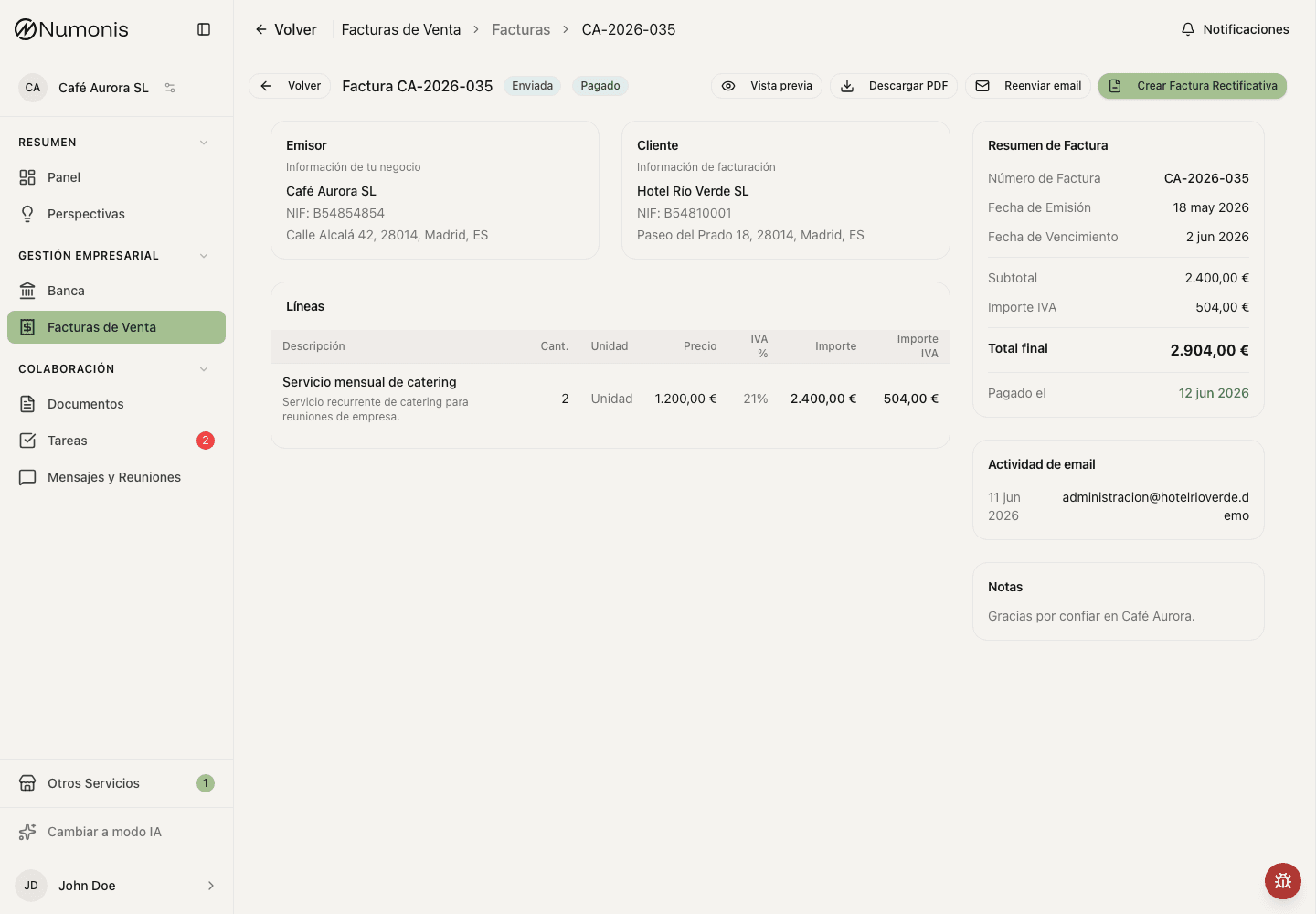
The detail view shows available actions depending on document status.
An invoice changes status depending on your actions and your account configuration. Always review the status before editing, sending, or correcting.
On the Invoices tab, switch between Incl. VAT and Tax base to compare invoice totals with the taxable base. The taxable base excludes VAT and pass-through expenses (suplidos). The same choice applies to the amount column, summary cards, and charts. Select a customer in Top Customers to open that customer's details. Outstanding includes confirmed unpaid invoices; Overdue is shown separately.
Main statuses
- Draft: you can review and edit before issuing a fiscal document or finalizing a quote or proforma.
- Processing: Numonis is generating or registering the document.
- Issued: the invoice or corrective invoice officially exists. Unpaid non-certified documents may still show Edit invoice if no corrective invoice has been issued for them.
- Certified: the invoice was issued with certification if that option is active.
- Sent: the invoice was sent by email from Numonis. If you edit an eligible sent invoice, send it again.
- Unpaid: the payment has not been marked as received.
- Paid: the collection was marked as received.
- Error: details must be corrected or an action retried. When the tax agency rejects a certified invoice, Numonis shows a plain explanation of the cause (for example, an issuer NIF that does not match the AEAT census) and, for other cases, the message returned by the AEAT.
- Cancelled: the document should no longer be used as active.
From draft to issued invoice
- Create the invoice.
- Review customer, date, lines, taxes, withholding, numbering, and payment details.
- Save as draft if you need to review it later.
- Issue only when the details are correct.
You can also select several draft or error fiscal documents in the invoice list and use bulk Issue. Numonis issues the eligible invoices and reports any skipped or failed documents, so one invalid invoice does not stop the rest.
Recurring schedules create a new invoice on each scheduled date. A review schedule creates a draft; an automatic schedule follows the normal issuance, numbering, document, and certification steps. If a run was missed, its invoice stays a draft for human review. Editing a schedule changes future invoices only. Pausing stops future generation until you resume; stopping is permanent and keeps the invoices already created.
Quotes and proformas are finalized instead of issued. Finalizing assigns the series and number and prepares the PDF without fiscal certification. After finalization, you can edit, download, or send the document from its detail page. Editing keeps the same number and does not create a new draft. A partially invoiced or closed quote cannot be edited in place.
Send and mark as paid
After issuing an invoice or finalizing a quote or proforma, you can send the document by email if the action appears. When you receive invoice payment, mark the invoice as paid so the payment status reflects reality. If you marked it paid by mistake, use Mark as unpaid when the action is available.
For page-level work, select several invoices in the list and use bulk Download PDFs, Send, or Mark paid. Bulk download saves several PDFs in one ZIP and skips drafts that do not have a generated PDF yet. Bulk send uses each customer's saved email address and your configured templates for eligible fiscal invoices. Bulk mark paid only applies to receivable issued, certified, or sent invoices that are not already paid.
Correct an issued invoice
Unpaid, non-certified issued or sent invoices and corrective invoices without a corrective invoice may be edited directly when Edit invoice appears. Certified invoices, paid invoices, invoices already corrected with a corrective invoice, and invoices in certification processing require a corrective invoice or guidance from Numonis before acting.
Numonis admin operators can also edit eligible historical invoices after the issuer enables VeriFactu or SII, as long as the invoice has never been submitted for certification. This exception does not apply to clients or other operators and does not allow deletion. Saving keeps the invoice number, regenerates the PDF and returns a sent invoice to Issued. Review the updated invoice and send it again; saving does not certify it or email it automatically. Numonis records the administrator and the changed values in its internal change history.
Convert quotes or proformas
If your account uses quotes or proformas, you can convert them into an invoice when the sale is confirmed and the action is available.