Customers and invoice items
Create and maintain reusable customers and items to issue invoices faster.
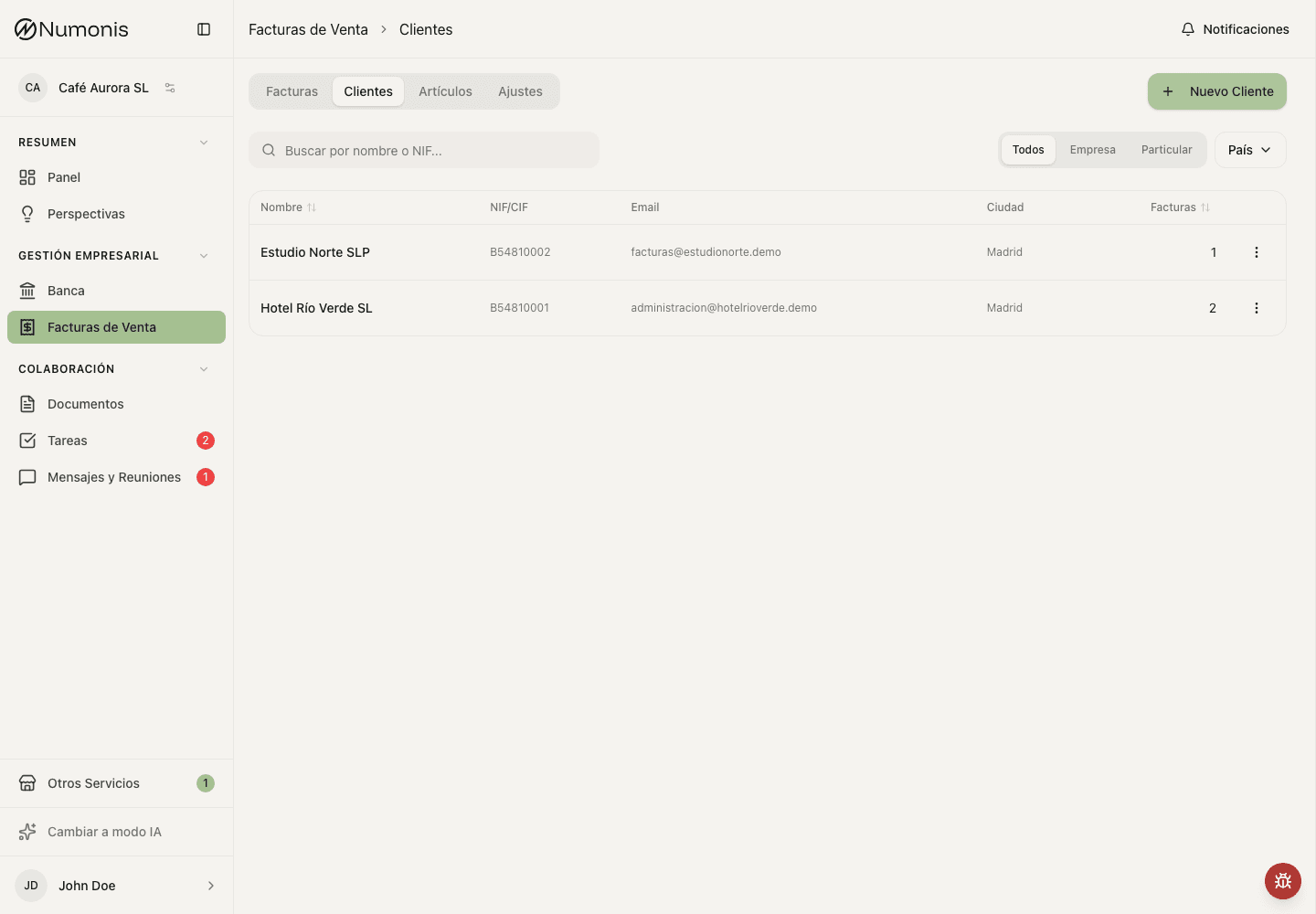
Customers store tax details and items store common concepts, prices, and taxes.
The Customers and Items tabs store reusable data so you do not have to write the same thing on every invoice.
Period summary
Above each list, the overview cards and charts use the same month and the same Incl. VAT / Tax base choice as the Invoices tab.
On Customers you see how many customers you have, how many have a confirmed invoice in the period, total invoiced, outstanding, the revenue trend, and the top customers.
On Items, the default Overview shows sales of lines linked to the catalog, the quantity of each unit, distinct items sold, and the active catalog. Hours are not added to kilograms or to other units. The charts show the trend and the top items. The active catalog does not follow the selected month. These figures use the selected month and the five earlier months in the chart. If you choose All, Items uses the latest six months. Older invoices stay out. Lines typed by hand, with no catalog item, are left out of these sales.
Choose Revenue by item in the statistics selector for an additional way to see revenue, including hand-typed invoice lines. This view has its own date range and month, quarter, or year grouping. The Incl. VAT / Tax base choice applies to either view. Only the statistics area changes: the item list, search, filters, and New Item stay available in both views. Choose Overview to return to the existing summary and charts; its selected month is preserved. The revenue date range and grouping are also preserved when you switch views.
How to create or edit a customer
- Open Sales Invoices.
- Press Customers.
- Press Add customer.
- Complete name, NIF, address, email, and contact person.
- Save the customer.
- To edit, press the customer in the list and modify their details.
The province or region is optional for customers in any country. When supplied, it appears after the postal code and city on new invoice PDFs. Existing invoice PDFs keep their saved address until an eligible invoice is edited and regenerated.
Choose Company or Individual / freelancer.
A company is identified by its tax number. Enter the Spanish NIF/CIF, or the foreign tax or VAT number, in NIF/CIF. The identity document fields are not shown for a company.
For a foreign number without a country prefix, Numonis uses the selected customer country. If the number was issued in a different country, include its two-letter prefix (for example PL8992338550). Changing an existing customer's address country does not change the tax country of an unchanged number.
An individual or freelancer with no Spanish NIF/CIF can leave NIF/CIF empty and complete Identity document: choose the document type (passport, foreign ID, residence certificate, or other) and enter the document number. VeriFactu requires a NIF/CIF or, for an individual, an identity document on every full invoice. Simplified invoices do not need customer identification.
Numonis checks the control digit of a Spanish NIF/CIF when you save. A customer with a mistyped Spanish NIF/CIF cannot be saved. Numonis saves a Spanish NIF/CIF in capital letters, without spaces, dashes or the ES prefix.
You can save an optional second email address for someone who should also receive invoices, such as the customer's billing department. Numonis adds this address to CC when you send an invoice. You can change or remove it for an individual send without changing the saved customer details. Bulk sends include it automatically. Clear the second email address and save the customer to stop including it in future sends.
Add a direct debit mandate
When direct debit is enabled for your organization, the customer form includes Payment method. The choices are Bank transfer, Direct debit, and Other. A new customer starts on Bank transfer, and the mandate fields stay hidden until you choose Direct debit. The same control is on the customer page when you press Edit.
Choose Direct debit and complete the optional Direct debit mandate section when you have their signed authorization. Complete these mandate details together:
- Debtor IBAN.
- The mandate reference exactly as it appears on the signed authorization.
- The signature date, which cannot be in the future.
- Recurring or One-off mandate type.
Numonis validates the IBAN format and checksum when you save the customer. If the IBAN is invalid, check the exact value issued by the bank; Numonis does not change bank details automatically.
Mandate references must be unique within your organization; uppercase and lowercase variants count as the same reference.
The debtor BIC is optional when saving the mandate. It is required only for legacy pain.008.001.02 XML files; current pain.008.001.08 XML and C19.14 TXT files can omit it.
Numonis uses the customer's current name and address as the debtor details. There is no separate account-holder field. Use Remove mandate to clear all mandate fields while Direct debit stays selected.
If you choose Bank transfer or Other and save, Numonis does not keep the mandate. A customer that already has mandate details opens with Direct debit selected. A customer saved before this choice existed, and with no mandate, opens on Bank transfer.
Public administrations
Turn on Public administration for a customer that receives invoices through FACe, and add its DIR3 codes. When you add a customer, Numonis turns the option on if you type a Spanish NIF that starts with P, Q or S. One customer can have several sets of DIR3 codes. See Export invoices for public administrations (FACe).
How to create or edit an item
- Open Sales Invoices.
- Press Items.
- Press Add item.
- Enter the Spanish name, description, price, unit, type, and tax. Open the English tab for an optional English name and description. English text is used when the invoice language is English.
- Save the item. The items list and the item page show both names when an English name exists.
- When creating an invoice, select the item to fill the line faster.
Tips
- Keep each customer's NIF and postal code up to date.
- Use items for recurring services or common products.
- Deactivate old items instead of reusing them with a different meaning.